
Download Branition – AI‑Powered Creative Business Name Generator
Overview
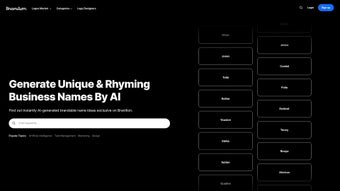
Branition is a web‑based AI business tool designed to spark creativity and simplify the naming process for startups, agencies, and established brands. Powered by a sophisticated machine‑learning algorithm, Branition instantly produces short, memorable, and domain‑ready business names that stand out in crowded markets. Users can refine results by keyword input, name length, domain extension, and real‑time domain availability, ensuring that every suggestion is both brand‑friendly and technically feasible. Whether you’re launching a tech SaaS platform, a boutique coffee shop, or an e‑commerce store, Branition’s intuitive interface and AI‑driven creativity help you land a name that resonates with your target audience and supports long‑term brand equity. The tool also includes pro‑tips and best‑practice guides that teach you how to evaluate name ideas, avoid trademark pitfalls, and craft a compelling brand story around your new identity.
Beyond the core naming engine, Branition integrates a lightweight analytics dashboard that tracks which types of names perform best based on user feedback, click‑through rates on suggested domains, and social media availability. This data‑driven approach enables entrepreneurs to make evidence‑based decisions rather than relying on gut feeling alone. The platform is hosted on a secure cloud infrastructure that complies with GDPR and CCPA regulations, offering encrypted data transmission and storage. For teams that require collaboration, Branition provides shared workspaces where multiple users can comment on suggestions, vote for favorites, and export a collective shortlist for stakeholder review. All these features combine to make Branition not just a name generator, but a comprehensive branding assistant that adapts to the fast‑paced demands of modern business development.
Key Features & Benefits
Branition’s feature set is built around speed, relevance, and flexibility. The AI model continuously learns from millions of existing brand names, emerging trends, and user interaction patterns, ensuring that each suggestion is fresh and market‑appropriate. Whether you need a name that sounds tech‑savvy, eco‑friendly, or luxury‑oriented, the platform’s contextual filters let you tailor outputs to specific brand personalities.
In addition to generating names, Branition offers real‑time domain verification, saving you the hassle of checking registrars manually. Export options make it simple to move your shortlist into other design or marketing tools, while the free tier remains generous enough for solo founders and small teams. For agencies handling multiple clients, the premium subscription adds bulk export capabilities, priority AI processing, and custom branding options so you can present results under your own agency logo.
- AI‑generated short and unique business names in seconds.
- Real‑time domain availability check for .com, .net, .org, and new gTLDs.
- Customizable filters: name length, keyword emphasis, and extension type.
- Pro‑tips library for branding, trademark safety, and SEO‑friendly naming.
- Export options: CSV, plain text, and direct copy to clipboard.
- Free tier with unlimited name generations; premium tier adds bulk export and priority AI processing.
- Collaboration workspace for teams to share, comment, and vote on name ideas.
- Analytics dashboard that surfaces high‑performing name patterns based on user feedback.
Pros
- Lightning‑fast name generation saves hours of brainstorming.
- Domain availability integrated directly into the suggestion list.
- Intuitive UI works on any device with a modern browser.
- Free version is fully functional for most small‑business needs.
- AI model continuously learns from user feedback, improving relevance over time.
- Collaboration tools streamline client approvals and internal reviews.
- Analytics give insight into naming trends and audience resonance.
Cons
- Limited to English‑language keywords; multilingual support is pending.
- Premium features (bulk export, priority processing) require a subscription.
- Advanced trademark checks are not included and must be performed separately.
- Since it’s web‑based, an internet connection is mandatory.
- Analytics dashboard is basic and may not satisfy large enterprises needing deep data.
Overall Verdict: Branition strikes a solid balance between creativity, practicality, and affordability, making it an essential tool for anyone serious about building a memorable brand.
Installation, Usage & Compatibility
Because Branition is a cloud‑native service, there’s no traditional installation required. Simply open your preferred web browser, navigate to branition.com, and start generating names immediately. The platform is optimized for modern browsers such as Chrome, Firefox, Safari, and Edge, ensuring smooth performance on Windows, macOS, Linux, as well as mobile operating systems like iOS and Android.
Step‑by‑Step Guide to Get Started
- Create a free account: Click “Sign Up,” enter your email, and verify the account. The free tier provides unlimited name generations.
- Enter your keywords: Provide one or more words that describe your business, product, or industry. The AI uses these as seed data.
- Set your filters: Choose desired name length (short, medium, long), select preferred domain extensions, and toggle “Only Available Domains” to see instantly usable options.
- Generate names: Hit the “Generate” button. Within seconds, Branition displays a curated list of suggestions, each tagged with domain status.
- Refine & save: Use the “Refresh” button for more ideas, drag‑and‑drop favorites into a personal shortlist, and export the list when you’re ready.
- Leverage pro‑tips: Review the built‑in guidance on branding, SEO, and trademark considerations to polish your final choice.
- Collaborate with teammates: Invite colleagues to your workspace, let them comment on suggestions, and use the voting system to prioritize the strongest options.
- Analyze performance: After selecting a name, monitor the analytics dashboard for early signals such as domain click‑through and social handle availability.
Compatibility Details
Branition runs on any device with an up‑to‑date browser, including Windows 10/11, macOS Monterey and later, Linux distributions, iOS 13+, and Android 9+. No additional software or plugins are required, making it a truly cross‑platform solution for entrepreneurs on the go.
Keeping Your Account Secure
The service uses HTTPS encryption for all data transmission and stores user credentials with salted bcrypt hashes. For premium users, two‑factor authentication (2FA) is available to protect sensitive naming projects. Regular updates to the AI model and security patches are rolled out automatically, ensuring you always have the latest features without any manual intervention. Additionally, Branition complies with major privacy frameworks, offering data‑export tools so you can retrieve or delete your naming history at any time.
Frequently Asked Questions
Is Branition really free to use?
Yes, Branition offers a free tier that includes unlimited name generation, domain availability checks, and access to the basic pro‑tips library. Premium subscriptions unlock bulk export, priority AI processing, and advanced analytics.
Can I check trademark availability directly in Branition?
Currently, Branition only verifies domain registration status. For trademark searches, you’ll need to use a dedicated service such as USPTO’s TESS or your local intellectual‑property office.
How does the AI generate name suggestions?
The AI combines a transformer‑based language model with a curated brand‑name database. It processes your input keywords, evaluates linguistic patterns, and ranks suggestions based on memorability, length, and domain availability.
What domain extensions are supported?
Branition checks the most popular extensions (.com, .net, .org) as well as newer generic top‑level domains (gTLDs) like .io, .co, .app, and .tech. You can filter results to show only the extensions you’re interested in.
Is there a limit to how many names I can generate per day?
The free plan has no hard daily limit, but excessive automated requests may trigger rate‑limiting to protect the service. Premium users enjoy higher throughput and priority processing.
Can I collaborate with team members on the same naming project?
Yes, Branition includes a shared workspace feature where you can invite teammates, assign comments, and vote on favorite suggestions. This makes it easy to align on a final name across departments or with external clients.
Conclusion & Call to Action
Choosing the right name is one of the most critical steps in building a successful brand, and Branition removes the guesswork by delivering AI‑crafted, domain‑ready suggestions in real time. Its seamless web interface, robust filtering options, and free‑forever tier make it an indispensable resource for entrepreneurs, marketers, and creative agencies alike. By leveraging Branition’s pro‑tips and domain validation, you can confidently launch a name that is not only catchy but also technically viable, saving you time, money, and future rebranding headaches.
Beyond naming, the platform’s analytics and collaboration tools provide a strategic edge, allowing you to test multiple concepts, gather stakeholder feedback, and make data‑driven decisions before committing to a final brand identity. Whether you’re a solo founder looking for that perfect domain or an agency managing dozens of client projects, Branition scales to meet your needs while keeping the user experience simple and fast.
Ready to give your business a name that stands out? Visit Branition now, create your free account, and start generating memorable brand names instantly. Your next great brand identity is just a click away.



.png)



